The first clip I tried to do this with was just the flowers. I selected the colour I want to exclude and replace another with but as the flowers were all different shades I couldn't do this. I tried again with the shot from behind of Alex's back and him walking through the door, when I tried the colour matte on this shot part of the house started to go red as it was the same shade as the flowers. My last attempt was on the shot of Vicki blowing out the match then smiling, again I faced the problem of different shades of red. Her lips, even though were the same colour to the eye, in Adobe were different shades of red depending on the lighting. This led to part of her lips being one colour and her hands also being said colour when I didn't want her hands to be that colour. It all became too confusing for words! Long story short I ended up just making the whole film in black and white.
Showing posts with label After Effects. Show all posts
Sunday, 4 March 2012
Editing my film
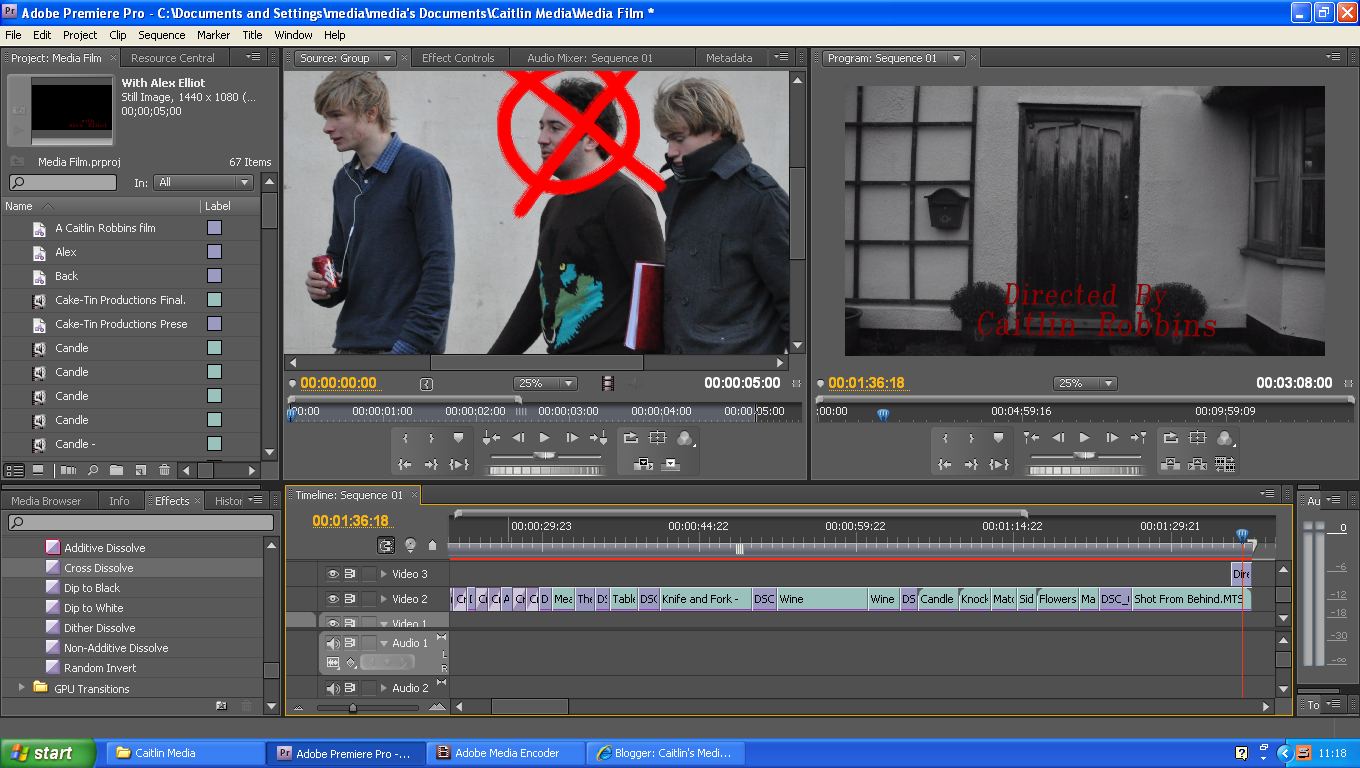
Editing my film has been quite a long process. I decided I'd make it hard for myself and try and make my film in black and white with colour highlights. I spent a good few lessons trying to get this to work, however, I never succeeded. So I decided to just make my film in black and white. I did do some with colour highlights but I used a colour matte which got rid of any a certain colour, however, this did not work as well as I had hoped. As seen below.
The first clip I tried to do this with was just the flowers. I selected the colour I want to exclude and replace another with but as the flowers were all different shades I couldn't do this. I tried again with the shot from behind of Alex's back and him walking through the door, when I tried the colour matte on this shot part of the house started to go red as it was the same shade as the flowers. My last attempt was on the shot of Vicki blowing out the match then smiling, again I faced the problem of different shades of red. Her lips, even though were the same colour to the eye, in Adobe were different shades of red depending on the lighting. This led to part of her lips being one colour and her hands also being said colour when I didn't want her hands to be that colour. It all became too confusing for words! Long story short I ended up just making the whole film in black and white.
Saturday, 10 December 2011
Production Company Logos
Today we finished off our production company logos, I thought we had to do two logos, turns out we don't! Although I spent agessssssss doing 2 when in fact I only had to do the one. I've still exported both of my logos, Cake Tin Productions and Cutting Edge Entertainment.
Although my Cake Tin Production logo doesn't fit the genre of my film. As you can see below it's pastel colours, which doesn't necessessarily fit a horror film.
Below is my Cutting Edge Entertainment ident, it's quite simple but I thought this would be better than lots of graphics flying around the screen.
Although my Cake Tin Production logo doesn't fit the genre of my film. As you can see below it's pastel colours, which doesn't necessessarily fit a horror film.
Sunday, 27 November 2011
Adobe After Effects
In class James came in an taught our class about After Effects. We made the title sequence for "Anatomy of a Murder"
We also did the opening of the "Teletubbies"
We then did text, we made text animate and we came up with names of production companies, my name was "Cake-tin Productions"
Although for my first "Cake-tin Productions"' logo it's just text which I did in class, at home I have been experimenting by doing it with images as well.
We also did the opening of the "Teletubbies"
We then did text, we made text animate and we came up with names of production companies, my name was "Cake-tin Productions"
Although for my first "Cake-tin Productions"' logo it's just text which I did in class, at home I have been experimenting by doing it with images as well.
Sunday, 23 October 2011
Hangover - Editing
17/10/2011
In today's lesson we edited our film. We have filmed all but one of the scenes, we still need to film the chair scene. We had edited in a previous lesson the car scene and made it so we blurred the background and left Alex in a clear. This did not import correctly to begin with but then we got help from James, a man who came into class to help with Adobe. We have now edited all of our film (apart from the chair scene) so it runs smoothly.
21/10/2011
Today is the final day to finish editing our project, we have spent over an hour editing one scene where we blurred the background but the sound was distorted, we asked Jake, Ben and Bill from the other group to help although they too didn't know what to do. So we then had to delete hours of work blurring a background and then put the original scene back into the film. I'd gone into the media class in one of my frees and edited the blurred scene into our film only to have to delete it an hour later. Beatrice then added the scene transitions, then I added the titles to the film. We then saved it to a Quicktime file and watched it in the second lesson.
In today's lesson we edited our film. We have filmed all but one of the scenes, we still need to film the chair scene. We had edited in a previous lesson the car scene and made it so we blurred the background and left Alex in a clear. This did not import correctly to begin with but then we got help from James, a man who came into class to help with Adobe. We have now edited all of our film (apart from the chair scene) so it runs smoothly.
![]() |
| Screenshot of alex whilst we were trying to blur the background |
Today is the final day to finish editing our project, we have spent over an hour editing one scene where we blurred the background but the sound was distorted, we asked Jake, Ben and Bill from the other group to help although they too didn't know what to do. So we then had to delete hours of work blurring a background and then put the original scene back into the film. I'd gone into the media class in one of my frees and edited the blurred scene into our film only to have to delete it an hour later. Beatrice then added the scene transitions, then I added the titles to the film. We then saved it to a Quicktime file and watched it in the second lesson.
![]() |
| Alice, Myself and Georgie editting |
Subscribe to:
Posts (Atom)


