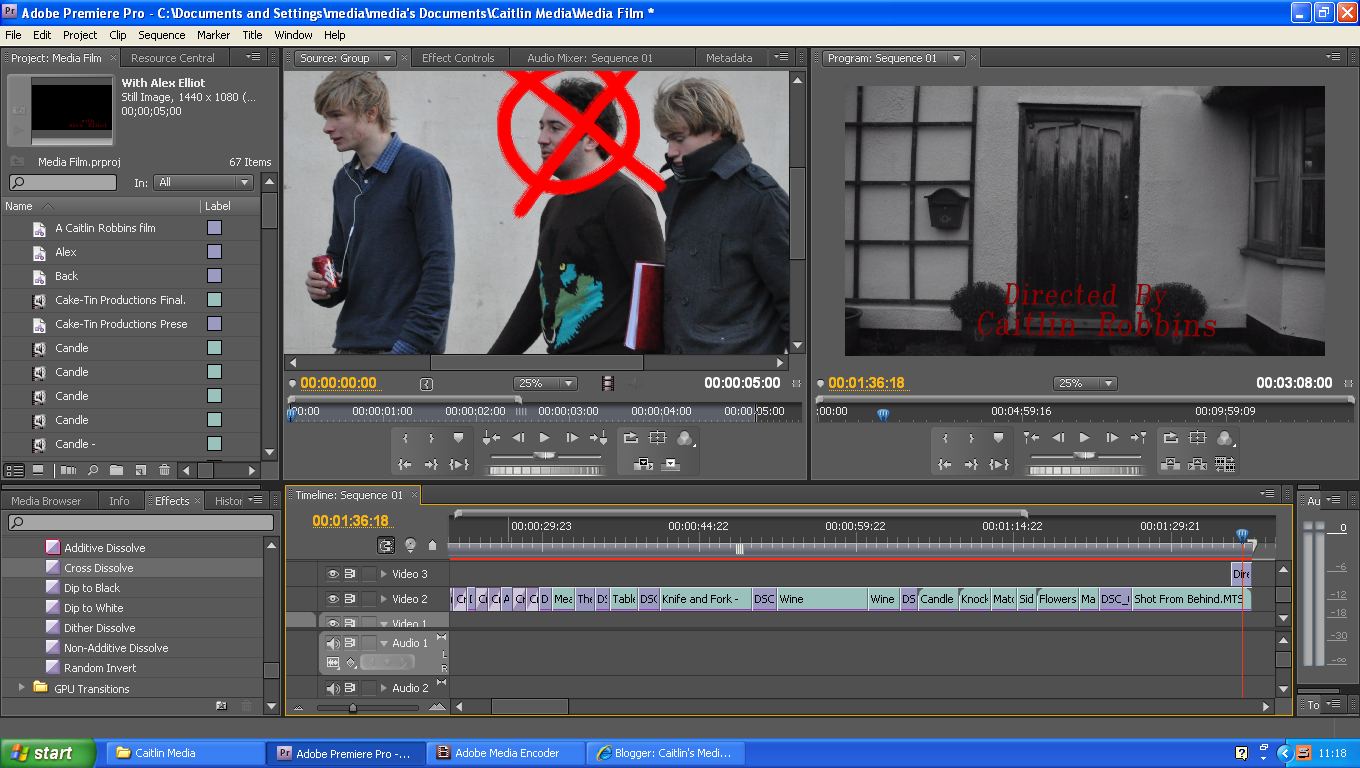
Editing my film has been quite a long process. I decided I'd make it hard for myself and try and make my film in black and white with colour highlights. I spent a good few lessons trying to get this to work, however, I never succeeded. So I decided to just make my film in black and white. I did do some with colour highlights but I used a colour matte which got rid of any a certain colour, however, this did not work as well as I had hoped. As seen below.
The first clip I tried to do this with was just the flowers. I selected the colour I want to exclude and replace another with but as the flowers were all different shades I couldn't do this. I tried again with the shot from behind of Alex's back and him walking through the door, when I tried the colour matte on this shot part of the house started to go red as it was the same shade as the flowers. My last attempt was on the shot of Vicki blowing out the match then smiling, again I faced the problem of different shades of red. Her lips, even though were the same colour to the eye, in Adobe were different shades of red depending on the lighting. This led to part of her lips being one colour and her hands also being said colour when I didn't want her hands to be that colour. It all became too confusing for words! Long story short I ended up just making the whole film in black and white.
In class we learnt about different technical terms used in the media industry.
Camera Angles
The positioning of the camera in relation to what is being shot. The camera might be at eye level or a high or low angle to what is being filmed.
High Camera Angle - the camera is high up then pointed down, an example of this is pictured on the right of Daniel Craig as James Bond.
Low Camera Angle - the camera is low down then pointed up higher.
Editing
The stage in the film-making process in which sound and images are organised into narrative (order)
Continuity Editing - this is the most common type of editing, it creates a sense of reality and time moving forward. This technique is often referred to as invisible editing as it does not draw attention to the process. This process is often Linear Narrative - where events happen chronologically.
Credits - The text at the beginning and ending of a film giving details of the cast, crew etc,
Cross Cutting - The editing technique, interweaving or interspersing one narrative action (scene, sequence or event) with another - usually in different locations. By combining the 2 it suggests to the audience that the events are happening simulataneously (parallel action).
This happens in "The Hangover" when Phil is on the phone to Tracey and they are speaking about Doug.
Eye line match - Cutting from a character to what that character has been looking at. This is used when someone is looking a photograph of someone.
Flashback - A scene or moment in a film which the audience is shown an event that happened earlier. Likewise a Flash-forward offers the audience something that will happen in the future. An example of a flashback is in "LOST" this is a TV show where there are flashbacks to before the characters crashed on the island. An example of the flash-forward is again in the opening of "The Hangover" when you see people getting ready for the wedding, this is a flash-forward as the rest of the film is before this happened.
Montage editing - Different shots, sometimes unconnected edited together to create meaning. A classic example of this is the "Rocky" training montage as seen below. There is a quick sucession of shots instead of showing all of the training which would take hours to watch they have been cut down to short shots which come to 2 minutes.
Fast Paced Editing - Rapid succession of many shots, often less than 2 seconds each. An example of this is the opening of "Jurassic Park". In the opening there are 46 different shots. This shows how quickly the shots change. The rapid succession of shots builds tension and puts you right amoung the action.
Slow Paced Editing - Long shots often of dialogue, up to 10-15 seconds each. "Jurassic Park" is again an example of this type of editing. This shows expression of the actors and emotion. Long shots are there so you can take it all in.
Camera Shots
Extreme Wide Shot - This view is so far out from the subject that they aren't even visible, this is oftern used as an establishing shot.
Very Wide Shot - The subject is barely visable, but the emphasis is still on placing them in the environment.
Wide Shot - The subject takes up the full frame, or at least as much as possible, this is same a the Long Shot
Mid Shot - Shows some part of the subject in more detail whilst still giving an impression of the whole subject
Medium Close Up - Half way between a Medium Shot and Close Up
Close Up - A certain feature or part of the subject takes up the whole frame.
Extreme Close Up - The Extreme Close Up gets right in and shows extreme detail.
Cutaway - A shot of something other than the current action
Cut-in - Shows some part of the subject in detail
Two-shot - A comfortable shot of two people, framed similarly to mid shot
Over-the-shoulder Shot - Looking from behind a person at the subject this is used for conversation or interviews
Noddy Shot - Usually refers to a shot of the interviewer listening and reacting to the subject, although noddies can be used in drama and other situations.
Point of View Shot - Shows a view from the subjects perspective, the camera is replacing the eyes.
Weather Shot - The subject is the weather, usually the sky. Can be used for other purposes.
Sound
Diegetic Sound - Sound that can be heard by the characters within the scene, music playing out of speakers or phone ringing or someone speaking. An example of this that we watched in class was a clip from "The League of Gentlemen's Apocalypse" where there is diegetic sound and non diegetic sound.
Non-diegetic Sound - Sound only heard by the audience, narration, soundtrack, score. In "Peep Show" it has non-diegetic sound when you hear the character's thoughts.
Score - The musical component of the soundtrack, usually composed specifically for the scene. A famous composer of scores is Hans Zimmer, who composed the scores of many Hollywood blockbusters ranging from the Pirates of the Caribbean trilogy to "The Ring" and "Pearl Harbor"
Narration - A voice telling the narrative as it goes. This can be used both alongside and instead of dialogue with the scene. Sometimes you can hear characters thoughts. Narration takes different forms for example in "The Wonder Years" the main character is narrating as an adult over his as a child.
Another more recent example of this is the tv show "How I Met Your Mother" in this show the narrator is the central character, Ted, in the year 2030 talking to his children about, as the title suggests, how he met their mother. Future Ted narrates the present as when you see the children it is a flashforward.